

STEP 01
Choose a reference image

Start with a clear, front-facing image to define the person's features and overall visual direction.
IDENTITY STUDY
Move your cursor to meet another presence
Scroll down to continue exploring
AUTO MOTION / POINTER
ONE IDENTITY / ANOTHER PRESENCE
A familiar gaze, hair silhouette, and the smallest expressions in speech become a new visual language for the avatar.
HUMAN SOURCE
It begins with one person's presence and motion.
QUPID SUPER APP / AVATAR CAST
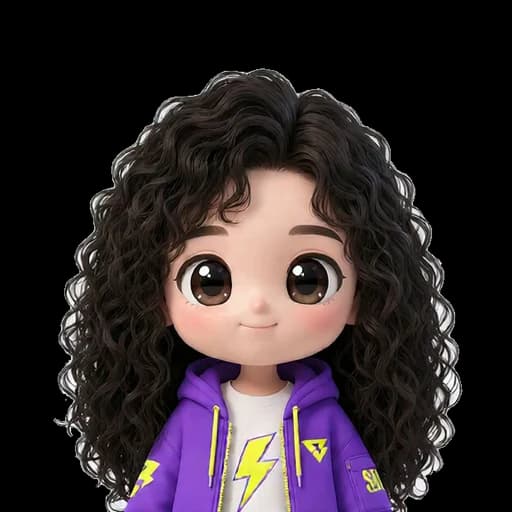
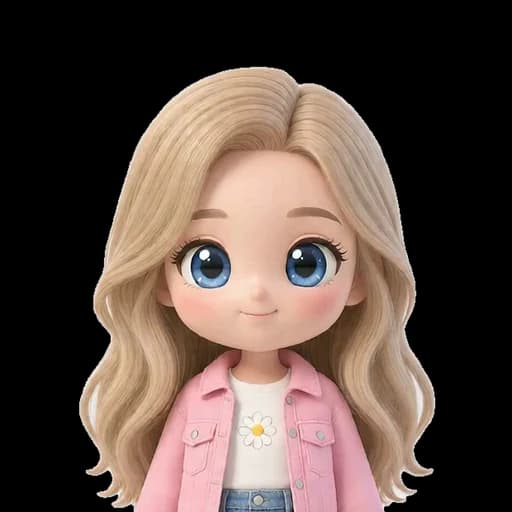
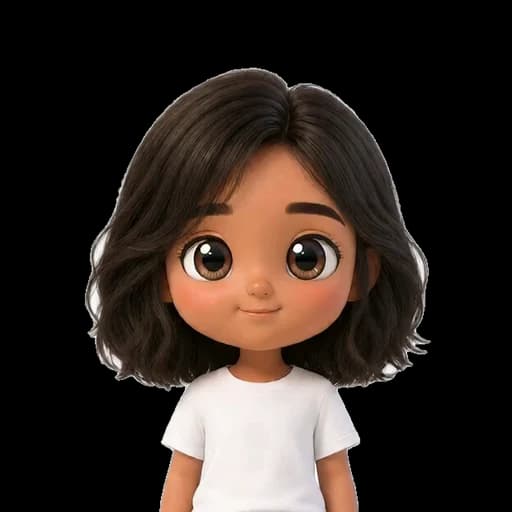
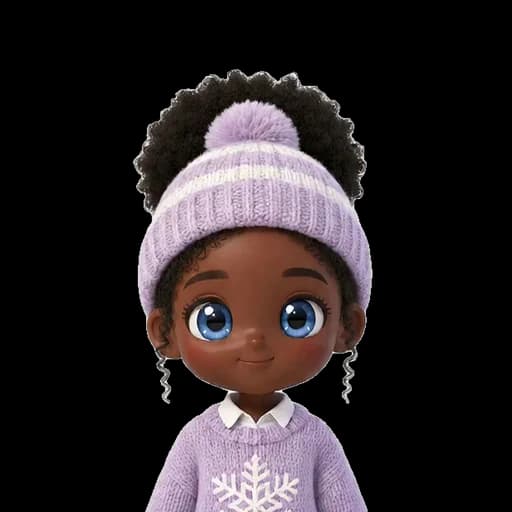
Nine characters with different hair, expressions, and styles move in their own way across the same live ecosystem.





HOW IT WORKS / QUPID AVATAR
Turn a person's defining features and chosen style into one avatar identity, then connect the movements needed for a real live experience.
STEP 01
Start with a clear, front-facing image to define the person's features and overall visual direction.
STEP 02

Preserve the person's impression while shaping hair, expression, wardrobe, and proportion into one consistent character.
STEP 03
Add gaze, bows, greetings, and other movements so the finished avatar can respond during a live session.
QUPID STUDIO / ACTION LIBRARY
From conversation and greetings to emotion and performance, a real Qupid Studio character moves with every live moment.
 ACTION SET 01
Carry the broadcast from idle presence to speech and the first greeting.
ACTION SET 02Express gratitude, affection, and connection with fans through gesture.
ACTION SET 03Show the emotional temperature of a conversation, from sadness to frustration and fatigue.
ACTION SET 04Create broadcast highlights with dance, spins, and character-led performance.
ACTION SET 05Extend the avatar's personality with playful gestures and role-based actions.
ACTION SET 06Keep ordinary moments, such as taking a drink, feeling natural between live beats.
AI AVATAR / FAQ
We define the face, hair, and overall impression from a reference image, shape that identity into the chosen character style, and connect an action set for use in Qupid Studio.
Use a high-resolution, front-facing image with an unobstructed face, even lighting, and a simple background. If body proportions matter, include a full-body photo in the same wardrobe.
The visual direction can range from photoreal to stylized 3D and chibi. Final styling, wardrobe, and proportions are defined according to the production scope.
The current Qupid Studio library includes 19 actions, from core movements such as Idle, Talking, and Greeting to gratitude, hearts, winks, emotions, dance, and character performance.
Yes. Avatars and actions are prepared for the Qupid Studio broadcast flow, with the movement set and application adjusted to the actual live environment.
The avatar can extend beyond live streaming into community, social content, and brand campaigns. Delivery formats and usage scope are confirmed for each production project.
MAKE YOUR NEXT PRESENCE LIVE
Build an avatar experience with goodboy syndrome where the creator's real personality keeps moving.